• The 365 Message Center Show - What’s New | Ep 430
    Jun 16 2026

    A new way to organise your OneDrive shortcuts as you create them. An agent that helps you plan with natural language. And the new Anthropic model, Claude Fable 5... yeah, about that...!?

    0:00 Welcome

    2:20 OneDrive: New Shortcuts folder option when adding shortcuts - MC1385585

    9:03 Microsoft Teams: Governance for built-in agents in the Teams admin center - MC1387573

    11:58 Microsoft 365 Backup: Full workload backup for SharePoint, OneDrive, and Exchange - MC1387526

    16:32 Microsoft Planner: Planner Agent chat coming to Frontier - MC1387810

    22:16 Anthropic Claude Fable 5 available in Copilot Cowork (Frontier) - MC1387806

    28:01 Microsoft Teams: Granular channel notification settings - MC1388719

    Show More Show Less
    33 mins
  • The 365 Message Center Show - What’s New | Ep 429
    Jun 15 2026

    Use enhanced Teams panels to book desks. Be aware that OneDrive retention will be enforced soon for unlicensed OneDrive accouts. Lastly, Microsoft Scout, powered by Open Claw, enters the AI scene.

    0:00 Welcome

    3:26 SharePoint Pages: Updates to the Toolbox within the Content pane - MC1326507

    7:00 Pay-as-you-go consumption-based meter for your extra SharePoint storage needs - MC1330893

    11:17 Microsoft Teams: Enhanced bookable desk experience with Teams panel based desk devices - MC1330887

    14:47 OneDrive: Retention enforcement for unlicensed OneDrive accounts - MC1381110

    22:56 Microsoft 365 Copilot: Introducing Microsoft Scout, an always-on personal agent - MC1332811

    Show More Show Less
    30 mins
  • The 365 Message Center Show - What’s New | Ep 428
    Jun 1 2026

    We'll tell you what's new, again. Microsoft 365 Copilot Chat. That's right. Simplified. Faster. More under the more menu. Less colour.

    Save your Teams Events as templates and get a glimpse of the new Events app. Take a look at the Planner Agent from Copilot, now GA. This and more...

    0:00 Introduction

    2:39 Microsoft 365 Copilot: Planner agent general availability - MC1323264

    8:08 Power BI integration with Microsoft 365 Copilot - MC1323266

    13:17 Save your event as template to reuse event configurations - MC1324279

    17:59 PowerPoint Live adds the ability to reload updated presentations during meetings - MC1324281

    20:48 Microsoft 365 Copilot app: Simplified, chat-centered experience - MC1325422

    28:06 (Updated) New entry points for "Create pages with AI in SharePoint" - MC1324284

    Show More Show Less
    34 mins
  • The 365 Message Center Show - What’s new? | Ep 427
    May 25 2026

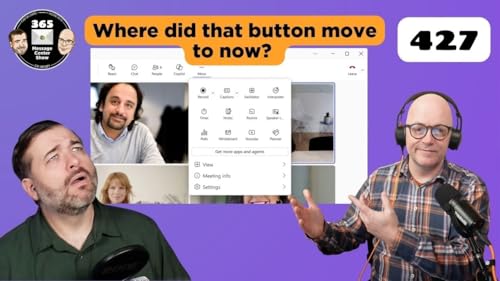
    Take a look at the changes in Teams meetings. Buttons be moving. While in a meeting, less used buttons will be shifted under the ...More menu. But you can bring them out again and pin them! SharePoint agents get tidied up too with an update to how they are listed and linked.

    0:00 Welcome

    2:49 (Updated) Microsoft Teams: A refreshed in-meeting experience with simpler controls and a smarter share panel - MC1317197

    12:13 SharePoint Pages: Heading 1 (H1) option now available in web part title areas - MC1315218

    14:27 Microsoft Copilot Notebooks: Introducing Infographics - MC1317195

    19:21 Update to agents in SharePoint: Simpler launch experience and new site AI settings - MC1315219

    25:17 Microsoft Teams: In‑meeting toggle to turn Meeting AI on or off - MC1319216

    Show More Show Less
    32 mins
  • The 365 Message Center Show - What’s new? | Ep 426
    May 18 2026

    You can teach a new dog new tricks to help the old dog. Copilot picks up some new skills to help good old PowerPoint. SharePoint Online storage quotas will be enforced in regards to OneDrives that are over the limit. And establish certain SharePoint sites as authoritative sources for Copilot Search results.

    0:00 Welcome

    2:34 Updates to SharePoint home sites - MC1304293

    5:21 HTML formatting now supported for Message center posts synced to Planner - MC1307883

    8:20 PowerPoint for Windows desktop: “Visualize this slide” skill in Copilot - MC1309731

    12:00 PowerPoint for Windows desktop: "Review this presentation" skill in Copilot - MC1309735

    17:08 Power Automate - Restore accidentally deleted flows - MC1310368

    20:33 SharePoint Online: Storage quota enforcement updated to align with license limits - MC1310684

    24:31 Authoritative Sites for SharePoint in Microsoft Copilot - MC1310687

    Show More Show Less
    32 mins
  • The 365 Message Center Show - What’s new Ep 425
    May 12 2026

    Film strips, a new-old way to view your aggregated list of news articles across your SharePoint sites. It auto advances. It shows the template thumbnail from all the articles you didn't update. But what can't the new Film strip format do? Find out and watch the episode. Oh and see what else we cover this week.

    2:31 Power Platform – Backup retention of Production environments is changing from 28 to 7 days - MC1298714

    4:34 Power Platform - PayGo not required with Self-Service Disaster Recovery (SSDR) - MC1293709

    7:29 Viva Engage Communities and Storylines in Teams – Individual enablement controls - MC1302904

    13:17 Microsoft Purview: Data Security Investigations – Introducing optical character recognition (OCR) support - MC1301831

    17:13 SharePoint News web part: New Filmstrip layout and multi-site news support - MC1303716

    Show More Show Less
    27 mins
  • The 365 Message Center Show - What’s new? | Ep 424
    May 4 2026

    Get help reviewing contracts using a new Legal Agent for Microsoft Word. Sync up to 1 million files with OneDrive. But consult your IT Support to learn if this is right for you. Finally, Outlook gets some action with M365 Copilot. I mean, can take action... via instructions, productive ones.

    0:00 Welcome

    2:41 Exchange Online: Retirement of legacy TLS versions for POP and IMAP connections - MC1293480

    4:35 Microsoft 365 Copilot: Use Copilot in Outlook to manage your inbox - available in Frontier Public - MC1293485

    7:07 OneDrive sync supports up to 1 million items on Windows - MC1294528

    10:47 Microsoft Teams: Retirement of Together mode - MC1296478

    12:47 Microsoft 365 Copilot will use private community and event content as grounding sources - MC1296480

    18:06 Microsoft 365 Copilot (Premium): Teams meetings as a reference in Copilot Notebooks - MC1296488

    24:03 Microsoft 365 Copilot: Legal Agent for Word - MC1296877

    Show More Show Less
    32 mins
  • The 365 Message Center Show - What’s new? | Ep 423
    Apr 27 2026

    Test your mic and speakers as you join the meeting. It won't prevent the awkwardness when Teams automatically mutes you as the 6th person to join the meeting. But it will help you run a quick test as you join.

    There's also a new Teams meeting option to auto start a transcription. Set it before a meeting so you can get the benefit AI Notes and asking Copilot questions of your meeting.

    0:00 Welcome

    3:00 Microsoft Teams: Sharing recap access - MC1289724

    7:28 Microsoft Teams: Delete meeting generated content in recap - MC1289725

    15:07 Microsoft Teams: Test microphone and speaker before joining a meeting - MC1288530

    19:41 Microsoft Teams: Meeting organizers can automatically start transcription without recording - MC1283816

    23:55 Microsoft Outlook: Copilot account switcher in the Outlook side pane - MC1290822

    Show More Show Less
    30 mins